Simulate live QA screening loops, practice technical answers under timed pressure, and receive detailed real-time evaluations from AI persona interviewers.
The Mock Interview Simulator is a client-side interactive tool designed to screen profiles and simulate live QA interview loops. Answering technical questions in a timed environment is key to passing live screening loops.
What You Will Learn
Structuring technical framework answers
Aligning explanations with resume bullet points
Pacing your answers during live technical screens
Targeting key QA terms (ECP, POM, API keys)
What You Can Do
Upload profile data and resume text
Engage with the interactive QA interviewer simulator
Practice custom questions for manual or automation paths
Review structured sample answers
Benefits of Practice
Pinpoints conceptual gaps before live interviews
Saves time preparing with static lists
Helps build confidence speaking in technical rounds
Who Should Use This
Job seekers, manual and automation testers, and SDETs preparing for panel screens.
Configure Your Interview Session
Select your interview mode, target domain, difficulty level, and preferred AI persona interviewer.
🏢 Company Presets:
Quick Prep (Standard)
Resume Pro (Personalized)
Daily Challenge 🔥
How the AI Mock Interview Process Works
Choose Interview Domain
✍Manual Testing
⚡Automation
🔌API Testing
🗄SQL Testing
🤖AI in Testing
🌪Mixed Round
Resume-Based Interview Mode
Instructions: Upload or paste your resume. Our AI will analyze your tools, projects, and roles to ask 20 highly specific questions tailored to your experience.
Upload Resume (TXT/PDF/DOCX)
— OR PASTE RESUME TEXT BELOW —
DETECTED FOCUS AREAS:
🔥
Current Streak
0 Days
Starting your journey!
"Success is the sum of small efforts repeated daily."
Today's Focus: QA Testing Drill
Today's questions are dynamically loaded from QA Testing Questions. Complete it to maintain your streak!
Choose Your AI Interviewer Persona
PariFriendly
AlexStrict
RamExpert
SarahCoach
Select Difficulty Level
Question 1/10
SARAH LIVE
Click microphone to dictate your answer using speech-to-text.
🏆
Achievement Unlocked: QA Interview Ace!
+100 XP awarded to your learning profile!
Evaluation Report
0
Overall Score
0
Correct
0
Incorrect
0%
Accuracy
Review Your Mistakes
Want to master these topics?
You can retry the questions you missed to reinforce your learning.
Learning Recommendations
Weak Topics
Topics to Master
Smart QA Hub Tutorials
QA & SDET Interview Preparation — Watch & Learn
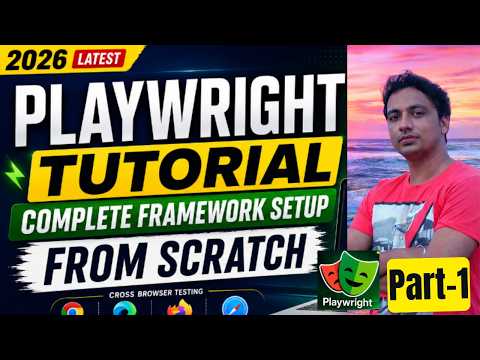
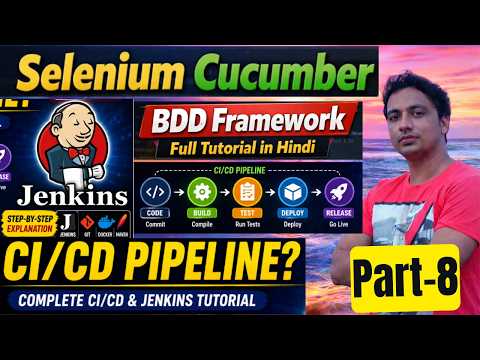
Watch practical QA & SDET video tutorials from Smart QA Hub. These cover test automation frameworks, Playwright, Selenium WebDriver, JMeter performance testing, and CI/CD pipelines.
Mastering technical QA interviews requires a combination of core theoretical knowledge, practical hands-on problem solving, framework design capabilities, and structured behavioral communication. Use this master guide alongside our interactive AI interview simulator to prepare for top-tier technology companies.
1. Manual QA & STLC Foundations
Demonstrate expert understanding of Test Case Design (Equivalence Partitioning, Boundary Value Analysis), Defect Lifecycle Management, Severity vs. Priority matrices, and Agile/Scrum sprint testing methodologies.
2. Automation Framework Engineering
Explain Page Object Model (POM), Factory Patterns, Explicit vs. Implicit Wait Strategies, Custom TestNG/JUnit Listeners, Parallel Execution, and Cross-Browser Cloud Grid integrations (BrowserStack, SauceLabs).
Essential Technical Interview Questions & Model Answers
Q: What is the difference between Smoke Testing and Sanity Testing?
Model Answer: Smoke testing is a broad, high-level verification executed on a new build to confirm that critical end-to-end user paths work before accepting the build for full testing. Sanity testing is a focused, deep-dive verification performed on a specific module or bug fix to verify that particular functionality works as expected without introducing regression.
Q: How do you handle StaleElementReferenceException in Selenium WebDriver?
Model Answer: A StaleElementReferenceException occurs when an element referenced in code is no longer attached to the DOM, usually because the DOM reloaded or refreshed via AJAX. Resolution strategies include using explicit wait conditions like ExpectedConditions.refreshed(), re-instantiating the locator before interaction, or utilizing PageFactory with dynamic proxy lookup.
Q: How do you perform API Chaining in RestAssured?
Model Answer: API Chaining involves extracting dynamic values (such as an auth token, user ID, or order ID) from the response of one request and passing them as parameters into subsequent requests. In RestAssured, JsonPath is used to extract data (e.g., String token = response.jsonPath().getString("access_token");) and then set in the header of the next request using .header("Authorization", "Bearer " + token).
Q: How do you structure a behavioral response using the STAR Method?
Model Answer: Structure responses into four parts: Situation (set the context and project constraints), Task (define your exact role and responsibility), Action (detail the specific engineering steps, tools, or framework adjustments you made), and Result (quantify the outcome, such as reducing execution time by 40% or reducing production defects by 60%).
Q: How do you design a scalable Data-Driven Testing framework from scratch?
Model Answer: A scalable Data-Driven framework separates test logic from test data. In Java with TestNG, test data is decoupled into external formats like Excel (Apache POI), JSON (Jackson), or CSV files. TestNG's @DataProvider annotation reads data dynamically into two-dimensional Object arrays (Object[][]) or Iterators of Objects. This allows a single test script to execute against hundreds of test data variations in parallel without code duplication.
Q: What is the difference between Driver.close() and Driver.quit() in Selenium WebDriver?
Model Answer:driver.close() closes only the currently focused browser window or tab, leaving the driver executable process alive in background memory. driver.quit() safely terminates all open browser windows, destroys the active WebDriver session instance, and kills the background driver process (e.g., chromedriver.exe). In TestNG frameworks, driver.quit() should always be invoked inside an @AfterClass or @AfterMethod teardown method to prevent memory leaks in CI/CD pipelines.
Q: How do you capture screenshots automatically on test failure in TestNG?
Model Answer: Automatic failure screenshots are implemented by creating a custom listener class that implements ITestListener. Overriding the onTestFailure(ITestResult result) method allows the listener to capture the current screen using ((TakesScreenshot) driver).getScreenshotAs(OutputType.FILE), save it with a timestamped filename into an output directory, and attach the image directly into an Extent or Allure html report.
Q: How do you handle shadow DOM elements in Playwright and Selenium 4?
Model Answer: In Playwright, Shadow DOM piercing is built-in by default — standard CSS locators automatically traverse open shadow roots without special syntax. In Selenium WebDriver 4, open shadow roots are queried using element.getShadowRoot(), which returns a SearchContext object that can be queried for nested elements using standard locators.
Q: What is a ThreadLocal WebDriver and why is it essential for parallel execution?
Model Answer: When executing test suites in parallel using TestNG or JUnit 5, multiple threads run test methods simultaneously. If a single instance variable shares the WebDriver object across threads, commands conflict, leading to session crashes. Wrapping WebDriver in Java's ThreadLocal<WebDriver> guarantees that each executing thread holds its own completely isolated driver instance, allowing clean parallel execution without race conditions.
Q: Explain the difference between Implicit Wait, Explicit Wait, and Fluent Wait.
Model Answer:Implicit Wait applies a global timeout across all element lookups in the driver session. Explicit Wait (WebDriverWait) targets a specific element with defined conditions (visibility, clickability, presence). Fluent Wait extends explicit wait by allowing customization of both the maximum polling interval (e.g., poll every 500ms) and ignoring specific exceptions (e.g., NoSuchElementException.class) during the wait cycle.
Q: How do you handle authentication tokens and dynamic cookies in API Automation?
Model Answer: Authentication tokens (OAuth 2.0 / JWT) are generated via an initial /api/v1/auth/login POST request with credentials. The response payload returns an access_token and refresh_token. Using RestAssured or Playwright APIRequestContext, this token is extracted and stored in a static session manager. For all subsequent requests, a request specification builder automatically injects the header Authorization: Bearer <token> and attaches dynamic session cookies to ensure seamless API verification across authenticated endpoints.
Q: How do you perform Database Verification in automated API and UI tests?
Model Answer: End-to-end data integrity testing verifies that actions performed via UI or API are accurately persisted in the database. Using JDBC (Java Database Connectivity) or ORM libraries like Hibernate/JPA, a database utility connects to the test database (PostgreSQL/MySQL), executes SQL queries (e.g., SELECT status, updated_at FROM orders WHERE order_id = ?), and asserts that the state in DB matches the API response or UI confirmation banner. Transactional tests should wrap operations in rollback blocks to ensure clean state after execution.
Q: What strategies do you use to eliminate Flaky Tests in CI/CD pipelines?
Model Answer: Flaky tests undermine pipeline trust. Key mitigation strategies include: 1) Replacing fixed Thread.sleep() with dynamic explicit/fluent waits, 2) Eliminating hardcoded test data by generating unique dynamic data (e.g., Java Faker) or using dedicated test database seeds, 3) Ensuring isolated test state by creating fresh user accounts per test, 4) Isolating parallel execution threads using ThreadLocal WebDriver, and 5) Implementing automatic retry logic (via TestNG IRetryAnalyzer) for transient network glitches while flagging retried tests in Allure reports.
Q: How do you integrate automated test suites into a GitHub Actions or Jenkins CI pipeline?
Model Answer: In GitHub Actions, a .github/workflows/test.yml workflow triggers on pull_request or push events. It sets up JDK 17, caches Maven/Gradle dependencies, executes tests via mvn test -DsuiteXmlFile=testng.xml, collects test artifacts (logs, screenshots, videos), generates an Allure HTML report, and publishes the test report link directly to the PR comments. If any test fails, the workflow fails, preventing unverified code from merging into the main branch.
Top Company Technical Screening Benchmarks
Service-Based MNCs (TCS, Infosys, Wipro): Focus heavily on manual test case design techniques, SQL queries (JOINs, GROUP BY), basic Java OOPs concepts, and STLC phase definitions.
Product Firms (Amazon, Microsoft, FlipKart): Focus on data structures & algorithms (Arrays, Strings, HashMaps), complex automation framework design patterns, CI/CD pipeline integration, and system design for test infrastructure.
Fintech & Banking: Focus on security testing, compliance validations, transaction idempotency, database rollback mechanisms, and performance bottleneck identification under load.
Recommended Practice Workflow for Technical Interview Candidates
Select a target QA specialization tab (Manual QA, Automation Engineering, SDET, or API Testing).
Answer questions aloud using the STAR method (Situation, Task, Action, Result) to build verbal clarity.
Review model answers provided in the study guide below to refine technical terminology and syntax precision.
Practice writing clean Java or Python code snippets for common data structures and Selenium locator problems.
STAR Method Response Template for Behavioral QA Interviews
Use this structured template when asked questions like "Describe a time a critical bug escaped to production" or "How do you handle disagreements with developers on bug severity?":
Situation: In our payment processing service release, a critical race condition occurred under peak load.
Task: As lead SDET, I was tasked with isolating the root cause, creating a reproducible test case, and preventing future regressions.
Action: I wrote an automated RestAssured load script reproducing concurrent API calls, identified a database deadlock, and implemented automated regression quality gates in Jenkins.
Result: Defect leakage reduced to 0% across subsequent releases, and test execution time decreased by 35%.
RD
Written by Rammehar Dhiman
Senior QA Automation Engineer • 12+ Years Experience • Pune, India
Rammehar has led QA automation across banking, e-commerce, and enterprise SaaS. He specialises in Selenium, Playwright, API testing, and CI/CD quality frameworks. He created Ram Technical Help to provide free, expert-level QA education to aspiring testers worldwide.